01 ContextIt starts with a bond, and a record renters make alone.
In Australia, renters pay a bond before moving in. In Queensland it is held by the Residential Tenancies Authority (RTA), not the landlord, and it comes back at move-out. If the landlord claims part of it and the renter disagrees, the RTA helps both sides settle it, and if that fails, a tribunal (QCAT) can decide. The evidence is the entry condition report, a room-by-room record of the home on day one. A mark that isn’t in it can become the renter’s cost.
Yet making that evidence is the renter’s job. Renters check the report alone, and share houses, homes rented room by room, often have none at all. Many renters here are migrants or international students, new to the bond system. A gap in the record can cost them part of their bond.
01 Context, RTA Queensland 2025-26
Moving out often costs part of the bond.
42.8%
didn’t get their full bond back
57.2% got it all back
Most of these disputes are about the condition of the home, the very thing the entry report records. So I expected many renters to record too little. Before designing anything, I looked at what they actually do.
02 DiscoverSo I asked renters how they actually record.
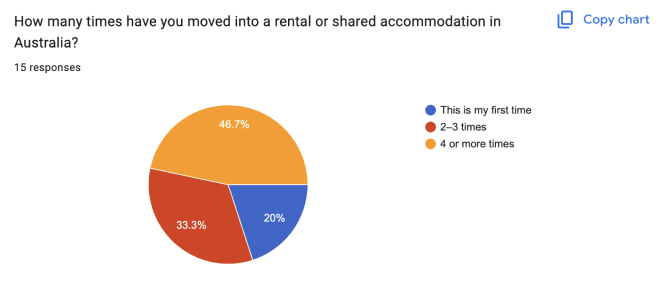
I surveyed 31 people who have rented in Australia.
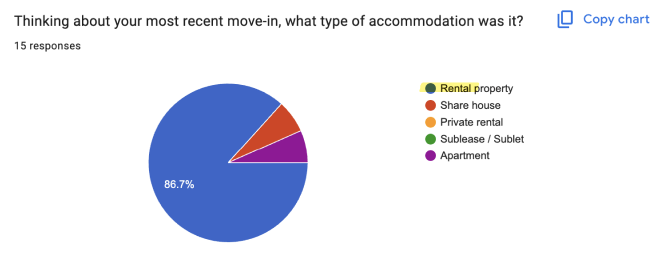
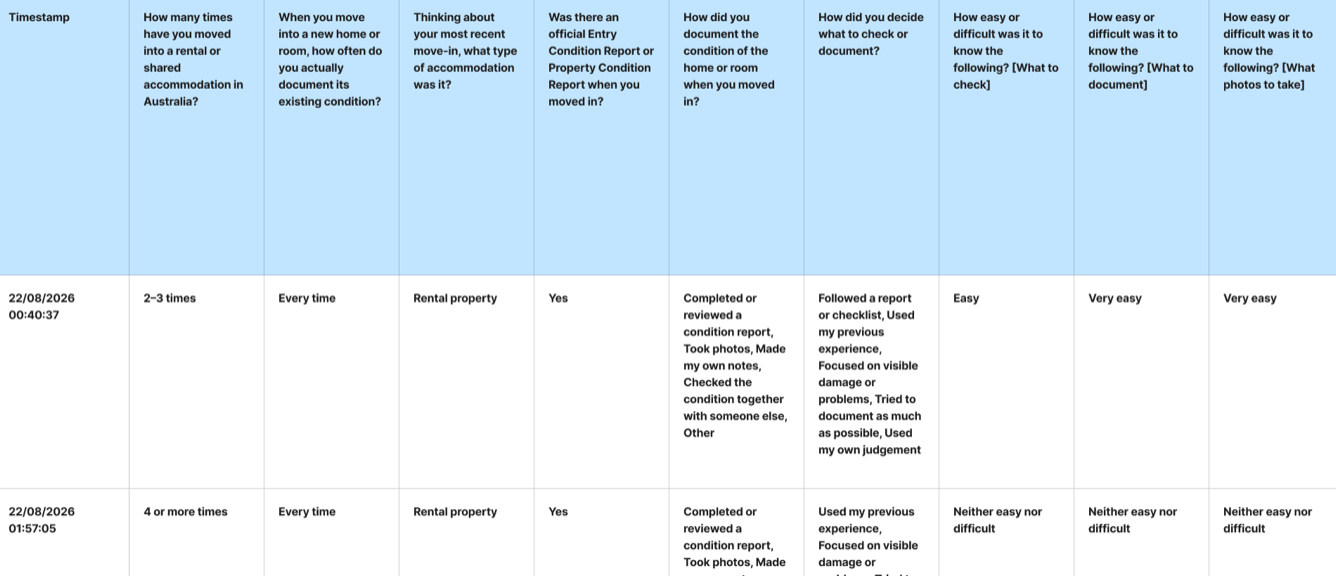
Recording wasn’t the gap.
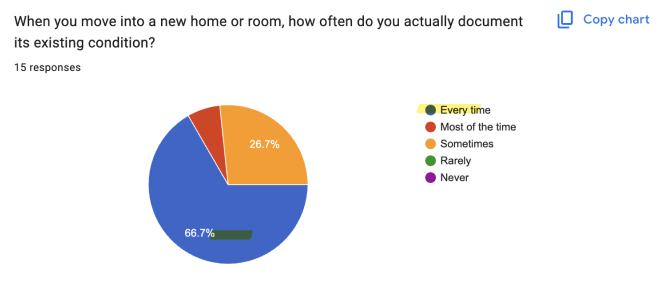
29 of 31 had already recorded a home’s condition, so that expectation was wrong. The trouble sat at two points: 13 had no report to start from, and 10 didn’t know when their record was enough.
02 Discover, survey of 31 renters
Effort isn’t the problem. Renters already record.
29/31
had already recorded a home’s condition
02 Discover, where it got hard
Renters got stuck at every step, not just one.
13
BeforeWhere to start
9
DuringWhat to check
10
AfterWhen to stop
“Just unsure about the whole process and to what level we actually had to document it to”Survey response
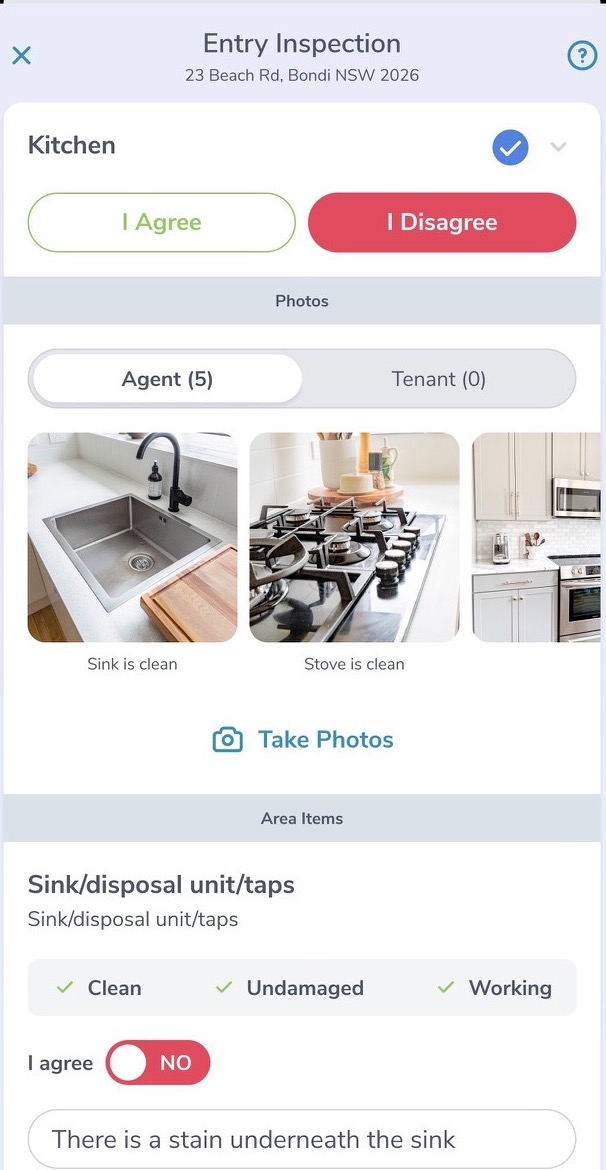
Existing tools don’t give a starting point either.
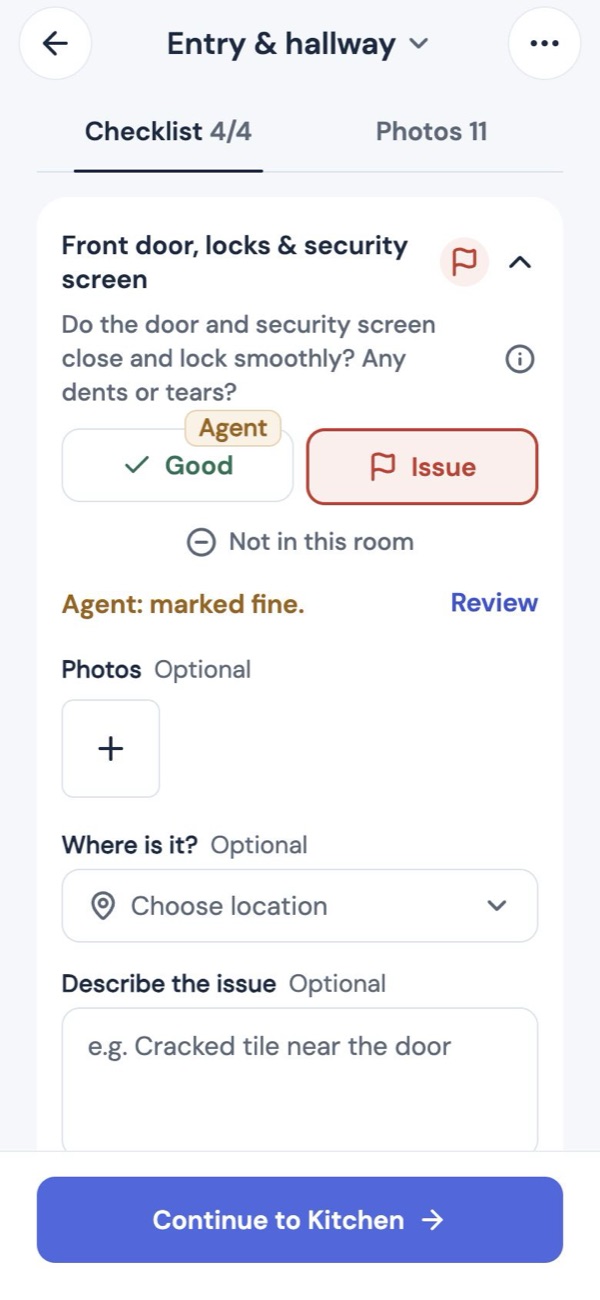
PropertyMe is a tool many agents, the property managers who act for landlords, use. The agent writes the report, and the renter marks agree or disagree room by room. This screen doesn’t show how to check each item, and a renter with no report has nothing to review.
Would recording more fix it? Those who recorded everything still struggled.
Taking more photos looked like the obvious help. But renters who recorded everything still had trouble. 9 of 31 spent an hour or more. Photos didn’t always show what they were evidence of, and taps, drains and locks got missed. To find out why, I asked renters directly.
I asked renters on Reddit how they complete the report.
I posted one question: how do you complete your entry condition report when moving in? I asked whether they photograph only damage or everything, how they decide what to photograph, and what they wish they had recorded. I coded the 34 answers into 8 clusters, then grouped them into 5 themes.
02 Discover, 34 Reddit answers
With no standard, they fill the gap by recording everything.
16/34
recorded everything, just in case
18 other answers
What 34 Reddit answers said
8 clusters of codes, grouped into 5 themes
- 16/34
Unclear sufficiency drives over-documentation
- Exhaustive documentation and inspection
- 14/34
Documentation functions as self-protection
- Protective and defensive documentation
- 11/34
Evidence must stay retrievable and trustworthy
- Independent evidence preservation
- 7/34
Evidence quality depends on context, not quantity
- Photo and video capture approach
- 7/34
Verification burden persists despite platforms
- Physical inspection coverage
- Report accuracy and verification
- Platform and workflow constraints
- Existing platform capabilities
What it led to
Help renters see when their record is enough, instead of asking for more photos.
03 DefineTwo questions kept coming up.
Primary persona
Renter without a report
- Thinks
- “Where do I start?”
- Needs
- A starting point, and a way to tell when it’s enough
- Also covers
- Renters with a report (18 of 31) follow the same path after the start, and end on the same question.
User journey
Their move-in, step by step
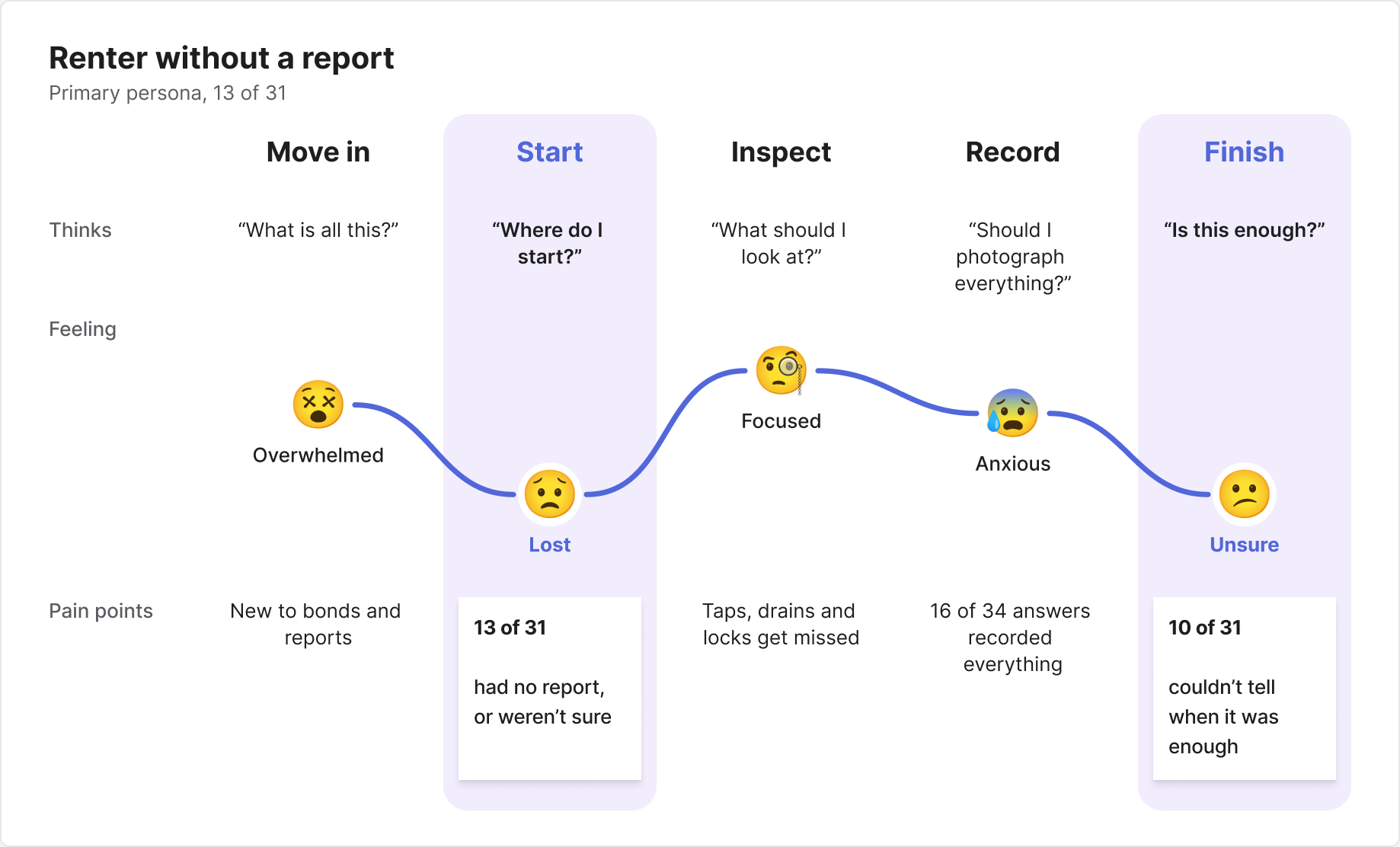
1. Move in
“What is all this?”
Overwhelmed
New to bonds and reports
2. Start
“Where do I start?”
Lost
13 of 31 had no report, or weren’t sure
3. Inspect
“What should I look at?”
Focused
Taps, drains and locks get missed
4. Record
“Should I photograph everything?”
Anxious
16 of 34 answers recorded everything
5. Finish
“Is this enough?”
Unsure
10 of 31 couldn’t tell when it was enough
Problem statement
With no guidance, renters don’t know where to start, what to check, or when to stop.
How might we
How might we guide renters from the first check to the last, without adding work?
04 DevelopI started with a structure renters already knew.
I judged each idea against the brief: does it show what to check, does it show when it’s enough, and does it avoid adding time?
How each idea held up
Dropped
A conversational AI
In a chat, renters can’t see what’s done and what’s left. Checking the home is their job, so they need to see each item.
Can’t tell when it’s enough
Dropped
Automatic damage detection
Renters could trust it and overlook what the AI missed. A photo also can’t show whether a tap, drain or lock works. Someone has to try it.
Hides what to check
Version 1
A checklist to answer, a camera to shoot
Keep it as familiar as possible: shoot in the camera, answer in the checklist.
Early wireframes split the task across separate screens.
I redrew these by hand from my early Figma wireframes. The checklist, camera and progress each had their own screen. I built this familiar split first, so renters would start from something they knew.
User flow
Higher-fidelity screens
Idea sketches
You at work
05 TestThen I put it in front of four renters.
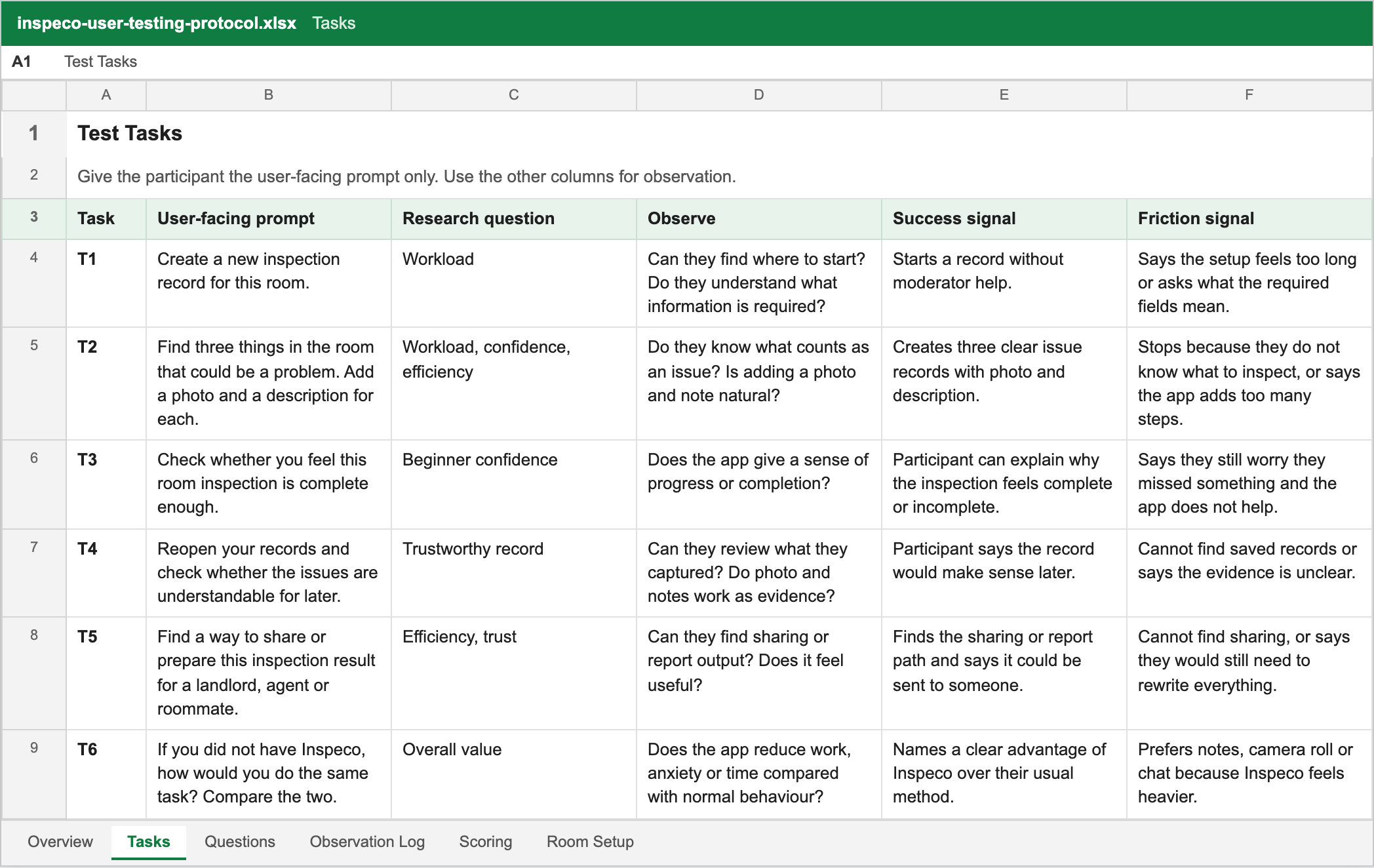
I built the first version as an iOS app and tested it. Four international student renters took part and said what they were thinking as they went. Two had written a condition report before and two hadn’t, so both personas were represented.
- Think-aloud usability testing, 4 renters
- Task-based protocol, 6 tasks
- System Usability Scale
Participants got only the task prompt, and help only when fully stuck. I analysed one hour-long session in full. It gave eleven findings. Two that changed the next version are below. That participant scored the app 75 on the System Usability Scale (SUS), where 68 is the usual average.
What I found from the user test
- The participant photographed a problem but didn’t tap Issue, because answering meant going back to the checklist.
- They rarely photographed things that looked fine, yet the app asked for a photo on every check.
Iteration
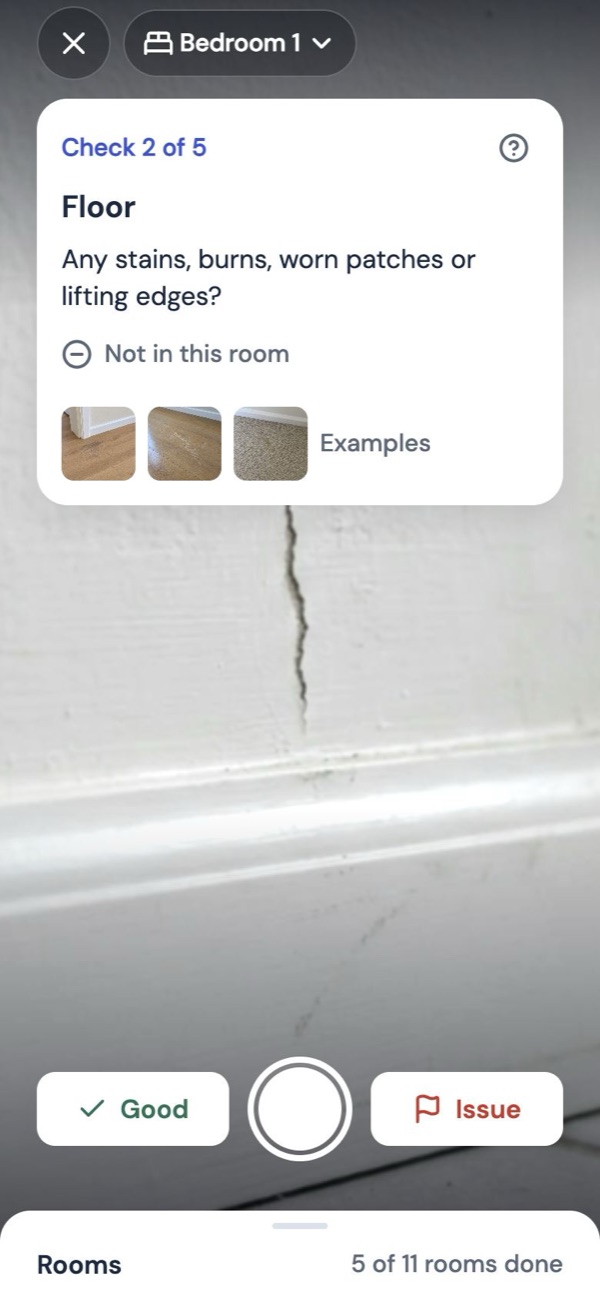
- Issue and Good now sit right on the camera.
- Photos are optional, and Good takes one tap.
Participants
Task results
Test session photo
06 DeliverSo I rebuilt it around the renter’s mental model.
How renters already inspect
- Walk
- Notice
- Shoot
In the recorded session, the participant walked through the room and photographed what they noticed, without reading the checklist first. I wanted the fewest steps and no change in habits, so each time the app fought that habit, I changed the app.
So after testing, I added a new way to work: answering inside the camera.
Other three sessions
A participant’s words
Two screens
One screen
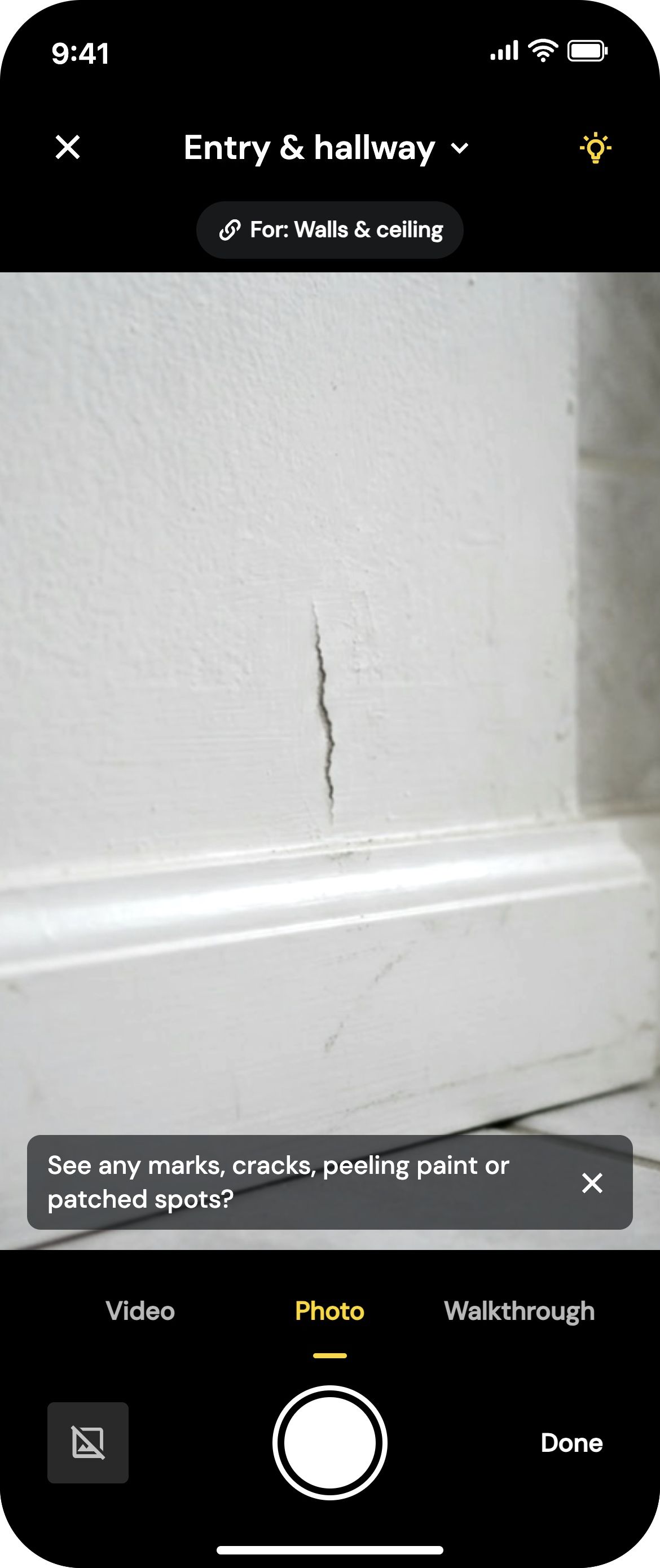
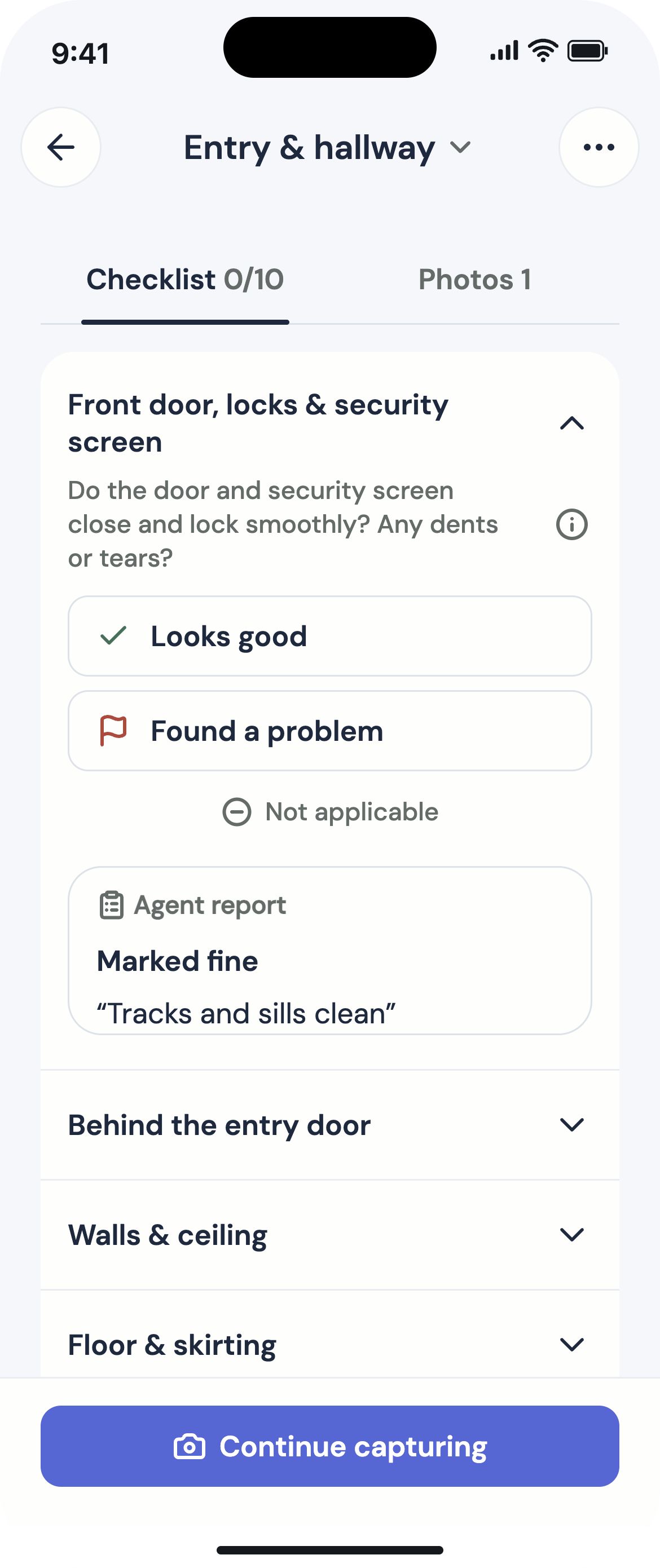
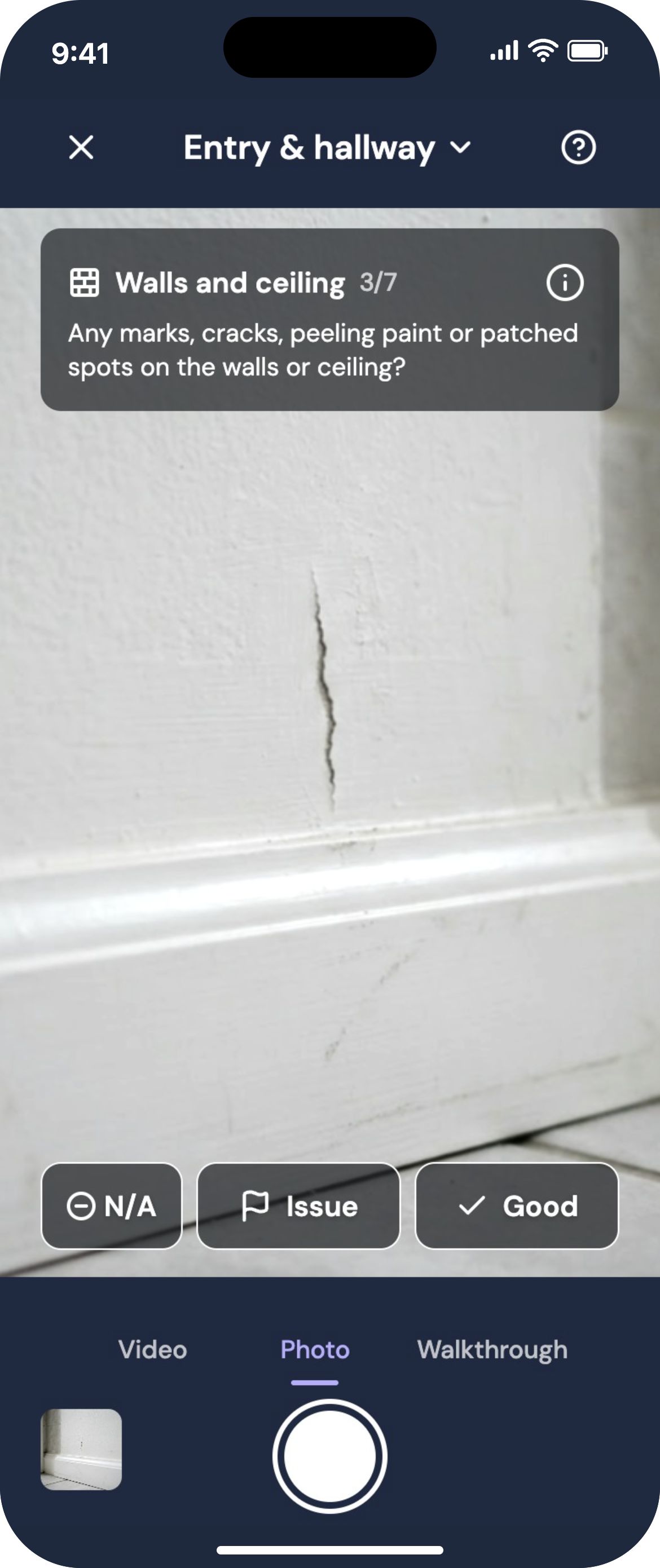
The app now moves the way renters do.
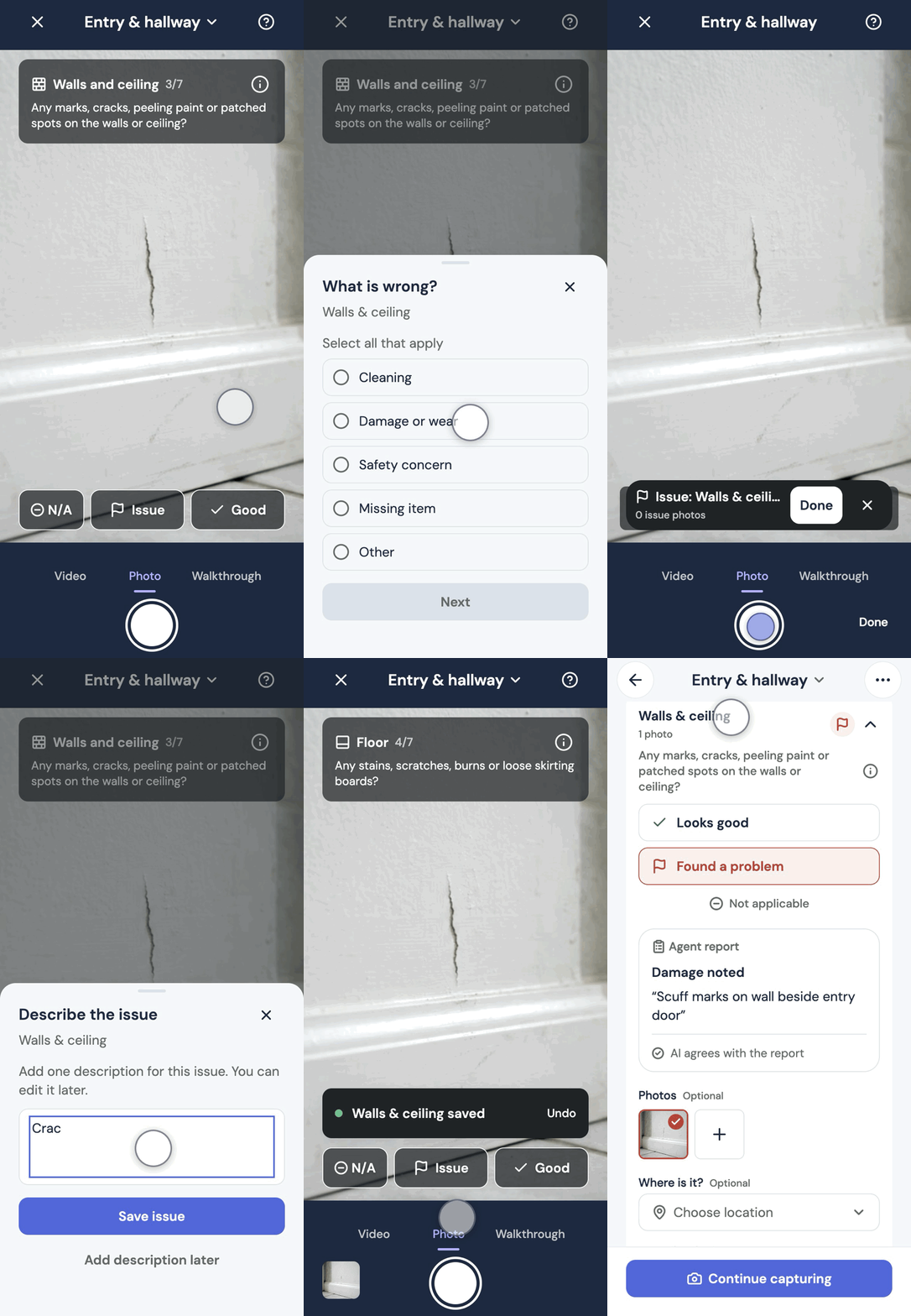
Where to start
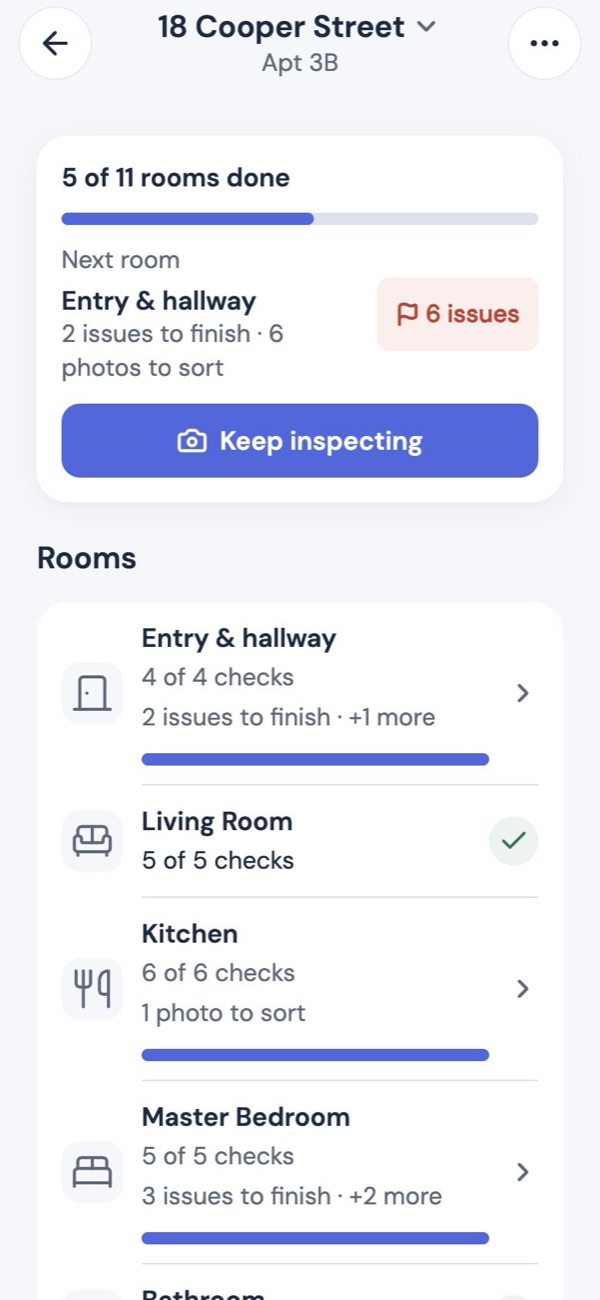
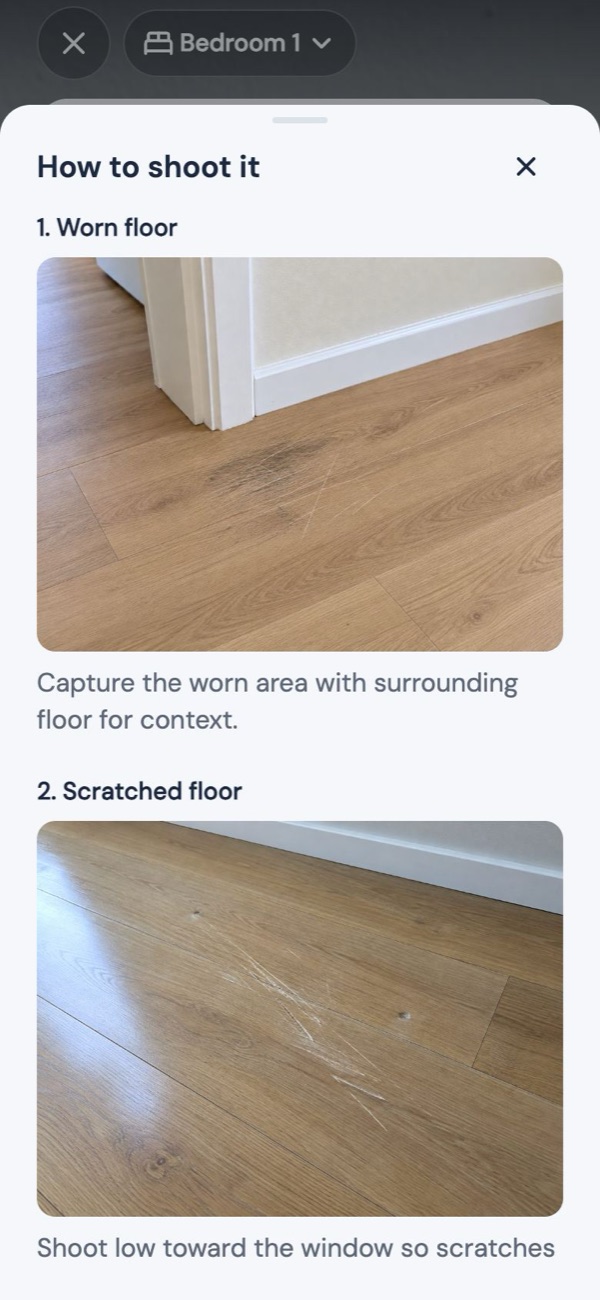
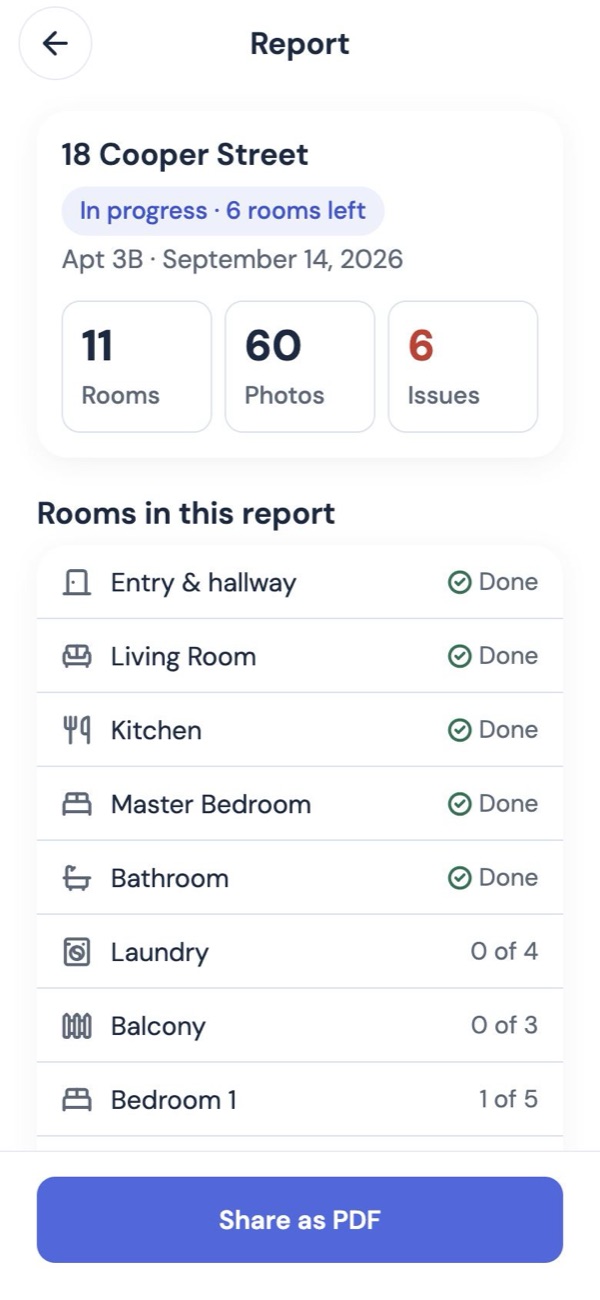
Opens on the first room. With a report, the agent’s note sits beside each check.
What to check
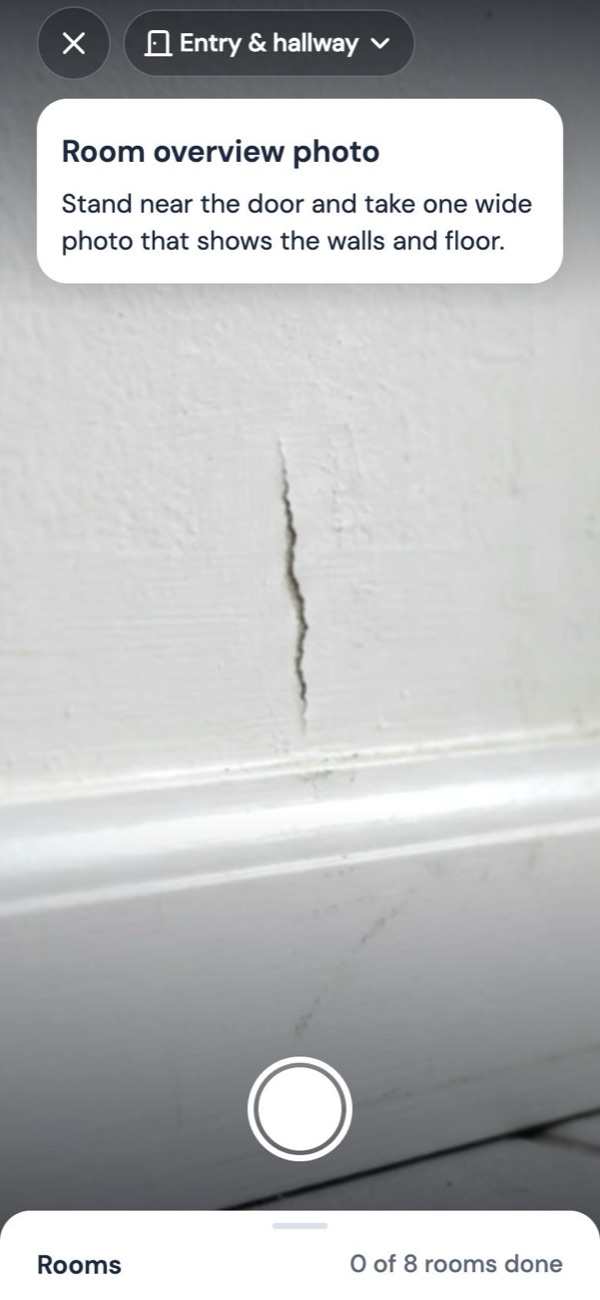
The current check sits inside the camera, so there’s nothing to read first.
When to stop
Answer and photo happen on one screen, and progress shows what’s left.
Built with Expo and FastAPI.
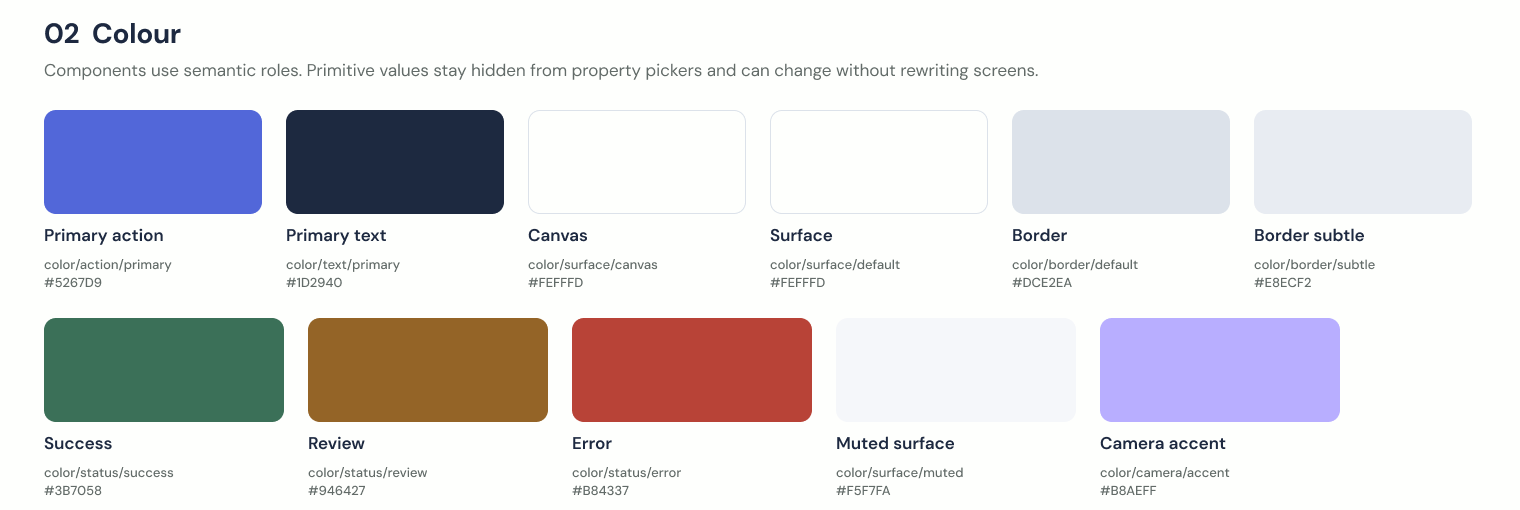
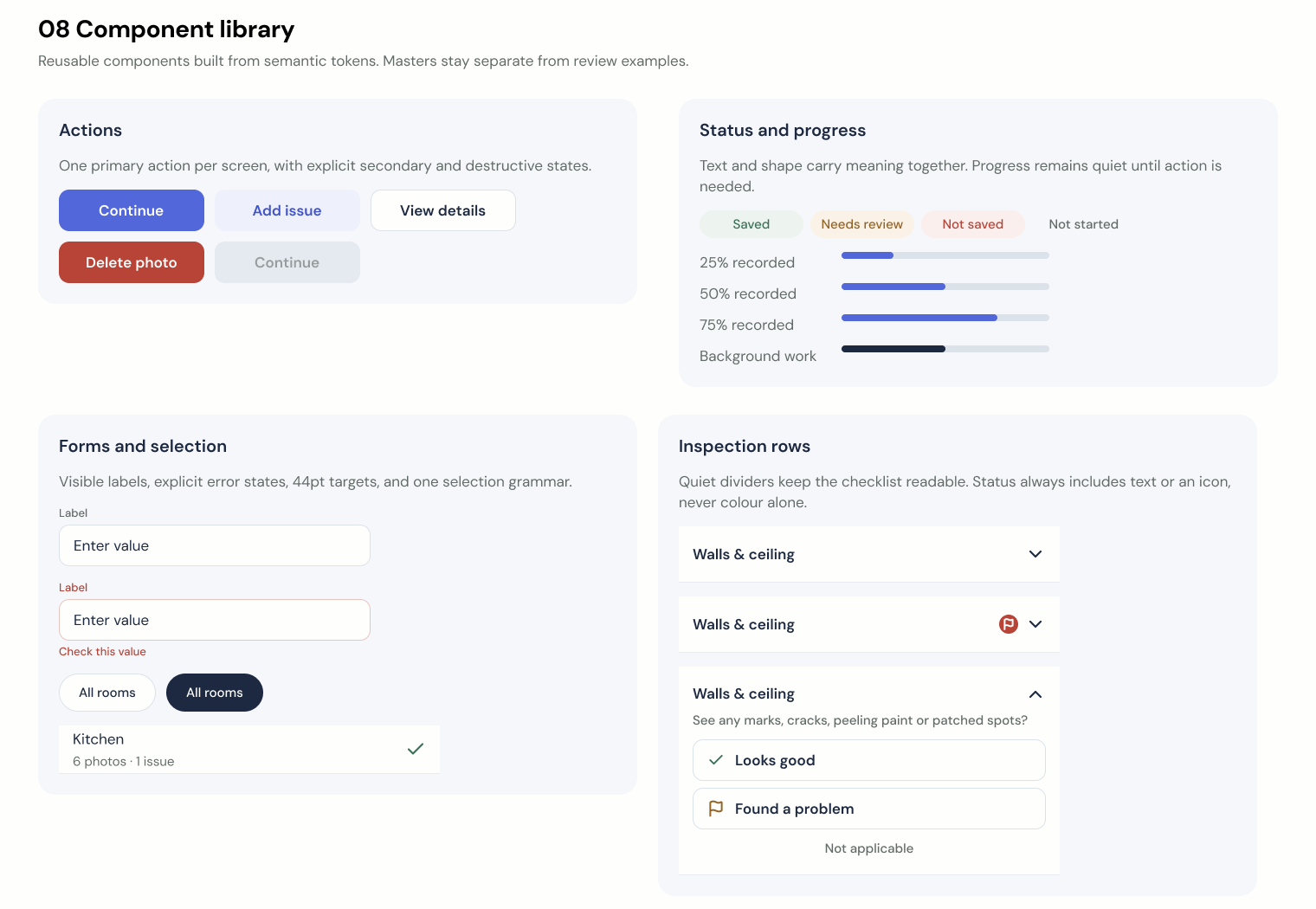
A design system holds it together.
I kept every screen on one design system. Colour, type, spacing and components live in one Figma file and are mirrored in code, and lint rules stop values outside the system.
07 ReflectionLooking back.
To be written.